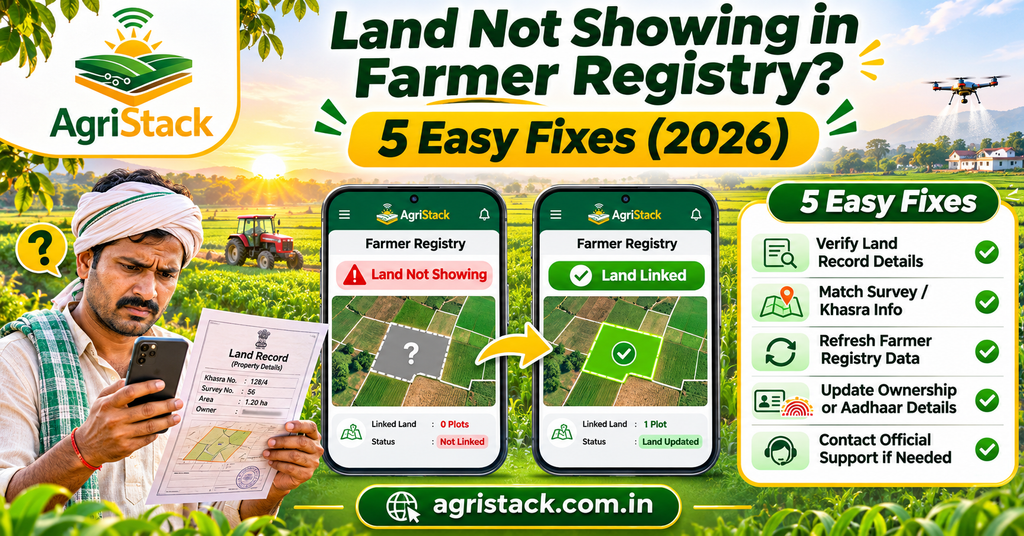
Land Not Showing in Farmer Registry? 5 Easy Fixes (2026)
If you find your land not showing in Farmer Registry, with some patta or survey numbers missing from the land list, the portal hasn’t linked that land to your Aadhaar yet. You can usually add it yourself by searching with the survey number. If it still doesn’t appear, the land record itself needs to be checked or corrected at the village or taluk office. This happens often in Tamil Nadu (TNFR) and in other states too.
How the Registry Finds Your Land
According to the official Farmer Registry FAQ, land already linked to your Aadhaar shows up automatically after eKYC. For land that does not show, you enter the district, sub-district, village, survey number and sub-survey number, and the system checks it against the land record.
Reasons for Land Not Showing in Farmer Registry
| Reason | Can you fix it yourself? | Where to fix it |
|---|---|---|
| Land not showing in Farmer Registry because it isn’t auto-linked to your Aadhaar | Yes, search by survey number | On the portal |
| Wrong village or sub-division selected | Yes | On the portal |
| Name in land record differs from Aadhaar | No | Taluk / revenue office or Aadhaar centre |
| Land still in a deceased or previous owner’s name | No | Mutation at the taluk / tehsil office |
| State has not sent that land data to the registry | No | Report to VAO / agriculture office |
Fix Land Not Showing in Farmer Registry: Step by Step
Step 1: Check Your Land Record Online
Tamil Nadu
Check your patta, survey number and sub-division on the state’s official land records website. Note the owner name exactly as written.
Other states
Use your state’s official land record site, for example Bhulekh, Mahabhumi (7/12), Apna Khata or Bhuiyan.
Step 2: Add the Land Manually on the Portal
In the land claim step, search with district, taluk, revenue village, survey number and sub-division. Enter the numbers exactly as in the record.
Step 3: Register Now, Even With Some Land Not Showing in Farmer Registry
You don’t need to wait for every plot. Claim the land that appears and finish registration. Land not showing in Farmer Registry today can be added to your Farmer ID later.
Step 4: Report Land Not Showing in Farmer Registry
Who to contact
| State | First contact |
|---|---|
| Tamil Nadu | Village Administrative Officer (VAO), block agriculture office |
| Uttar Pradesh | Lekhpal, block agriculture office (UP guide) |
| Maharashtra | Talathi, taluka agriculture office (Maharashtra guide) |
| Madhya Pradesh | Patwari (MP guide) |
| Odisha | Revenue Inspector, agriculture office (Odisha guide) |
What to carry
- Patta or land record printout
- Aadhaar
- Enrollment ID
- Screenshot of the land list without your plot
If the name in the land record is wrong
Apply for correction or transfer at the taluk or tehsil office first. The land can be claimed after the record is updated.
Step 5: Follow Up on Verification
If your Farmer ID shows “not verified” for a long time, ask the office which step is pending. If nothing moves, follow our grievance guide.
Common Reasons Claims Get Rejected
The official FAQ lists these: name mismatch between Aadhaar and land records, land not in the farmer’s name, owner died and mutation not done, and land still in the seller’s name after a sale. If any apply to you, fix the land record first.
Frequently Asked Questions
Can I upload my patta document on the portal?
Most portals check land against the state land database, so the record has to be correct there. Some states may ask for documents in assisted mode.
Should I wait to register if I have land not showing in Farmer Registry?
No. Register with the land that shows and add the rest later.
Why is my Farmer ID not verified?
Verification may be pending with officials or held up by a land or name mismatch. Ask the agriculture office.
Does joint land show for each owner?
Yes. Each owner should claim their own share under their own Aadhaar.
I bought the land recently. Why can’t I claim it?
If the record still shows the seller, the claim will be rejected. Complete mutation first.