
Farmer Registration Online 2026: The Complete Guide to Applying for Your Farmer ID
Farmer registration is the process of entering your details in the government’s Farmers Registry so that you receive your unique 11-digit Farmer ID. It is free, it takes about 15 minutes, and it now stands between you and almost every farm benefit: PM-Kisan installments, crop loans, MSP procurement, insurance claims and state subsidies all check this registry before releasing money.
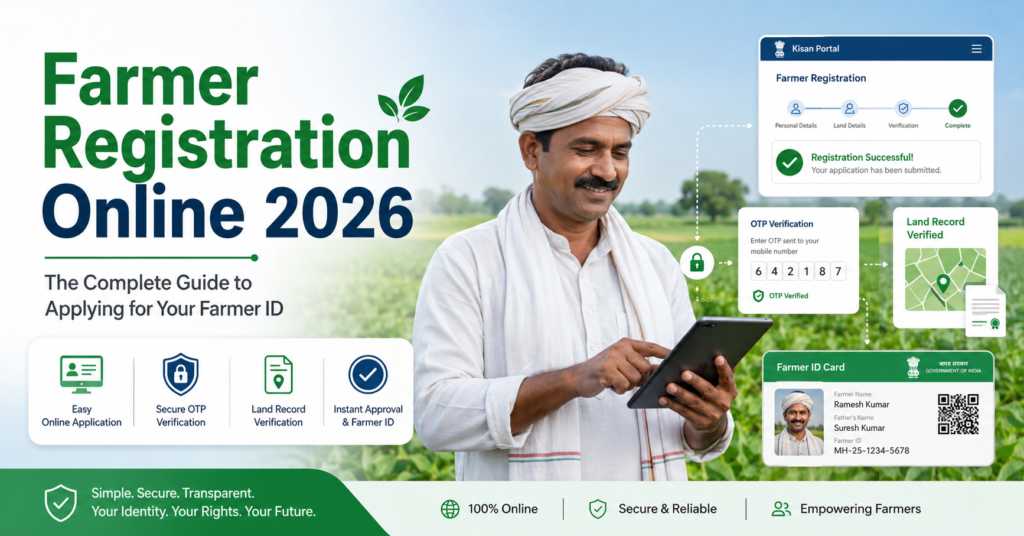
This page is a complete manual for the Farmer Registration itself. The home page of this site explains AgriStack as a whole; here we go deep into the act of registering: who is eligible, exactly which documents you need and why, every screen of the online form, what the CSC operator does on your behalf, how joint family land and inherited land are handled, what happens inside the government after you press submit, how to fix a rejected application, and the mistakes that quietly ruin thousands of applications every day.
If you follow this page from top to bottom with your documents in hand, you should finish with a submitted application and know exactly what happens next.
What farmer registration means, and what it is not
When officials say “farmer registration” in 2026, they mean registration in the AgriStack Farmers Registry on your state’s portal (upfr.agristack.gov.in for UP, mpfr.agristack.gov.in for MP, gifr.agristack.gov.in for Gujarat, and so on). The output of this registration is the 11-digit Farmer ID.
This is worth spelling out because India has run many farmer registrations over the years, and people confuse them daily:
- PM-Kisan registration put you in the PM-Kisan beneficiary list. It is a scheme enrollment, not the Farmer Registry. In fact, PM-Kisan now asks for your Farmer ID, which only the new registration gives you.
- Old state portal Farmer Registration, like UP’s kisan panjikaran on upagriculture.com or Bihar’s 13-digit DBT Agriculture number, were earlier state databases. They do not convert into the Farmer ID. If you registered there years ago, you still need the new registration.
- Mandi or procurement registration, like Chhattisgarh’s kisan panjiyan for dhan kharidi or Haryana’s Meri Fasal Mera Byora crop entry, registers you for selling crops. These systems are being connected to the Farmer Registry, but they are not the registry itself.
- Kisan Credit Card application is a bank product, not a registration.
One simple test: if the process ended with an 11-digit Farmer ID delivered by SMS from your state’s agristack.gov.in portal, you are registered. Anything else, however official it felt, is a different database.
Who can register: eligibility explained properly
The Farmers Registry is built around cultivated land, so eligibility follows the land record. Here is who can register and how each case works.
Landowner cultivators
The straightforward case. Your name appears in the land record (khatauni, 7/12, pahani, patta, jamabandi depending on state) as owner of agricultural land, and you cultivate it. You register against those plots. This covers the large majority of applicants.
Joint owners and family land
Most Indian farmland is jointly held. If a khatauni shows four names against one gata, all four people can register, each creating their own Farmer ID against their share of that plot. The portal shows the joint holding and records your share. Nobody needs the other co-owners’ permission to register their own share, and one brother registering does not block the others.
What you must not do is register the entire joint plot under one person alone when the record shows several owners. The verification officer matches names, and claiming the whole plot invites rejection.
Women farmers
Any woman whose name is in the land record can and should register her own Farmer ID. A wife listed as co-owner should not stay hidden inside her husband’s Farmer Registration; her own ID gives her independent scheme eligibility, which matters for schemes with women-specific benefits and for her legal standing in the land. Registration steps are identical.
Tenant farmers and sharecroppers
Coverage depends on your state. States that have opened tenant registration accept a cultivation certificate, tenancy agreement or a verified declaration in place of ownership records. Odisha covers sharecroppers most completely through Krushak Odisha. In states where the option has not opened, tenants must wait; registering someone else’s land as your own is not a workaround and gets caught in verification. Ask your krishi sahayak what your state currently accepts.
Inherited land not yet mutated
If the land record still shows your late father or grandfather, technically the record holder is deceased and you are not yet the recorded owner. The clean route is completing mutation (virasat, namantaran, ferfar) first, then registering. Some states offer an interim declaration route for legal heirs during camps. Either way, do not skip this and select a neighbour’s plot to “have something,” which is the fastest path to rejection.
Minors, NRIs and institutions
Land recorded in a minor’s name generally registers through the guardian, following the state’s rule. NRI-owned agricultural land can be registered by the recorded owner; the practical hurdle is that Aadhaar eKYC needs the owner’s Aadhaar-linked Indian mobile. Trusts, temples and companies holding farmland fall outside the individual Farmer ID system and are handled separately by departments.
Who cannot register yet
Landless agricultural labourers, people whose only land is residential or commercial, and cultivators in states where tenant registration has not opened. If that is you, nothing is lost by waiting; coverage is widening every year, and your state page on this site tracks changes.
When to register: deadlines and why waiting costs money
There is no single national last date, but treating Farmer Registration as urgent is wise for three reasons.
First, PM-Kisan linking deadlines keep arriving state by state, and farmers who miss them see installments pause until they link. Reactivating a paused payment takes longer than registering ever did.
Second, procurement seasons close their gates. If kharif paddy procurement in your state reads the registry and you register in November, your ID may still be under verification when token booking opens. Register at least a month before you plan to sell.
Third, camps end. During registration drives, officials fix name mismatches and record issues at your doorstep. After the drive moves on, you solve the same problems across office counters. The easiest registration you will ever do is the one during a camp in your own village.
Documents and details: the pre-registration checklist
Gather everything below before opening the portal. Half-finished applications time out, and re-starting eKYC repeatedly sometimes locks OTP attempts for hours.
1. Aadhaar card. The registration is built on Aadhaar eKYC; there is no non-Aadhaar route. Check two things on it now: the spelling of your name against your land record, and whether your current mobile is the linked one.
2. The Aadhaar-linked mobile, physically with you. Not just the number written down; the phone itself, switched on, with network. OTPs arrive at three points during registration. If the linked number belongs to a son working in another city, either he must relay OTPs live or, better, update Aadhaar to your own number first.
3. Land record numbers for every plot. Khasra and khatauni numbers in the north, gata in UP, survey number in the west and south, patta in Tamil Nadu, together with the village name each plot sits in. Take a fresh copy: khatauni from the tehsil or the state’s bhulekh website, 7/12 from mahabhulekh in Maharashtra, pahani from Dharani in Telangana. Fresh matters because old copies miss recent mutations.
4. Bank passbook. For cross-checking your DBT account and, in some states, for entry in the form.
5. Caste certificate, only if you want the category recorded.
6. For tenants, the cultivation certificate or tenancy paper your state accepts.
Write your enrollment details on paper as you go: the enrollment ID at the end, the password you set, and the plot numbers you added. A single page in your document file will save you three trips later.
Online farmer registration: the full walkthrough, screen by screen
This section walks the self-registration route in more detail than any leaflet you will find at an office. Screens differ slightly between states, but the flow below matches nearly all agristack.gov.in portals.
Stage 1: Reaching the right portal
Type your state portal address directly into the browser: the pattern is two letters for your state plus “fr”, so upfr, mpfr, gifr, mhfr, rjfr, bhfr, all ending in .agristack.gov.in. Do not reach the portal through ads or forwarded links. Fraud sites copy the design and harvest Aadhaar numbers with OTPs. Two checks before typing anything: the address bar ends in agristack.gov.in, and the page carries your state government’s branding.
Stage 2: Creating your account
On the portal home page you will see login boxes for Official, CSC and Farmer. Choose Farmer, then “Create new user account.”
Enter your Aadhaar number and tick the consent for eKYC. The portal sends an OTP to your Aadhaar-linked mobile. Enter it within the time limit. On success, your name, photo, date of birth and address appear on screen, pulled from Aadhaar. You cannot edit these here; they are your verified identity. If the details look wrong, the error is in Aadhaar itself and must be fixed there.
Next, the portal asks you to confirm your mobile number (keep it your own, this becomes your login) and set a password. Rules usually demand a capital letter, a small letter, a number and a symbol. Write the password down. Farmers lose more time to forgotten passwords than to any government delay.
Stage 3: Filling your details
Log in with mobile number and password. The registration form opens with your Aadhaar details already filled. You now complete the rest:
- Farmer type: owner cultivator, or tenant where your state offers it.
- Category: general, OBC, SC or ST, as per your certificate. Optional in some states.
- Occupation details: some portals ask whether farming is your main occupation.
- Address confirmation: your Aadhaar address shows; confirm or adjust the village selection so it maps to the right revenue village.
Every field here later feeds scheme eligibility checks, so answer as your documents say, not as convenience suggests.
Stage 4: Adding your land, the step that decides everything
Now the portal asks for your land. Take this slowly.
Select the district, tehsil and revenue village of your first plot. Enter the khasra, gata or survey number and search. The portal fetches the land record entry and displays the owners listed against that plot.
Three situations follow:
Your name appears, spelled the same or nearly the same. Select it, confirm the area shown for your share, and add the plot. Done.
Your name appears with a different spelling. Small gaps like Mohd vs Mohammad, or a missing middle name, generally pass because officers match manually. Select your entry anyway; do not select a differently named person even if the area matches better. If the gap is large, expect the officer to query it, and be ready with proof that both names are you.
Your name does not appear at all. Stop and find out why before proceeding. Either the plot number is wrong (check your fresh khatauni again), the mutation after a purchase or inheritance is pending (complete it first), or the village record is not digitised (report at the tehsil). Never solve a missing name by attaching a plot that belongs to someone else.
Repeat the search for every plot you hold, in every village and district. All plots attach to the same application. When your plots span districts, some states route the application through your home district’s officers; the portal handles this, you just add the plots.
Before moving on, check the total area the portal shows against what you actually hold. A missing plot now is a fresh modification request later.
Stage 5: Review, consent and final submission
The summary screen shows everything: identity, category, and the plot list with areas. Read every line once, slowly, aloud if that helps. This is the last point where fixing an error costs nothing.
Tick the self-declaration. It states that the information is true and consents to the registry sharing your data with government departments for schemes. Then confirm submission with a final Aadhaar OTP.
The portal issues your enrollment ID on screen and by SMS. This ID is your receipt. Photograph the screen, save the SMS, and write the number on your checklist page. The application now leaves your hands and enters verification.
Registering through a CSC: what actually happens at the counter
Perhaps half of all farmer registrations flow through Common Service Centres, so it is worth knowing the process from the customer’s side.
The operator logs into the same portal through his CSC credentials and performs every stage described above with you sitting beside him. Your role at the counter:
- Hand over your Aadhaar and land record copy.
- Keep your Aadhaar-linked phone in your hand; three OTPs will come to it and you read them out.
- When the land screen appears, look at the plots he selects. You know your khasra numbers; he does not. Wrong-plot selection is the top CSC-stage error.
- Confirm that the mobile number entered as yours is actually yours. Operators sometimes put their own number to handle OTPs, and the farmer then can never log into his own record. Politely insist.
- Collect the printed acknowledgement with the enrollment ID before paying.
The government fee is zero everywhere. The CSC service charge is set by each state, commonly between Rs 10 and Rs 50. If an operator quotes several hundred rupees, that is overcharging; pay the notified rate or use another centre, and complaint numbers for CSC overcharging exist on every state’s CSC portal.
Registration at village camps and through field staff
The third route is the assisted one: registration camps in villages, and in some states, door-to-door registration by survey teams during the digital crop survey.
At a camp, agriculture staff, the lekhpal or patwari, and a CSC operator sit together. This combination is powerful because the revenue official at the table can check the land record question that blocks online applicants, sometimes correcting minor entries on the spot. Elderly farmers, women who never operated the family’s documents, and anyone with a mismatch problem should prefer camps over every other route.
Camps are announced through the gram panchayat, the krishi sahayak, and often by loudspeaker the day before. If your village’s camp already passed, ask when the block-level mop-up camp runs; states hold second rounds for those missed.
What happens after you submit: the verification pipeline
Understanding the back office helps you know when to wait and when to push.
Your application lands in a queue before two kinds of checkers. The agriculture side (village agriculture assistant, krishi sahayak or agriculture supervisor depending on state) confirms you are a genuine cultivator. The revenue side confirms the land linkage: that the plots you selected are yours per the record. In several states both checks merge into one officer’s approval screen; in others they run one after the other.
Three outcomes leave this pipeline:
- Approved: your Farmer ID generates automatically and the SMS goes out. Typical time ranges from two or three days in fast districts to three or four weeks in loaded ones.
- Returned for correction: the officer sends it back with a remark, and you or your CSC operator correct and resubmit without starting over.
- Rejected: the mismatch was too large to correct in place. The remark states why. You fix the root cause (mutation, Aadhaar correction, right plot number) and apply fresh.
Applications from camps often approve fastest because the verifying officials took part in the intake. Applications with cross-district land can take longer since two districts’ officers may be involved.
If nothing moves for a month, act. Carry your enrollment slip to the block agriculture office and ask which officer’s queue holds your application. Whole tehsils sometimes stall because one approver’s login expired, and nobody notices until farmers ask.
Checking your registration status and finding yourself in the list
Two related checks matter after submission.
Individual status. On your state portal’s public page, open “Check Enrollment Status,” enter your enrollment ID or Aadhaar, and read the result: pending, approved, returned or rejected. We keep a dedicated status check page on this site with state-specific notes if your portal behaves differently.
The farmer registration list. States publish village-wise lists of registered farmers, used during camps to find who is left. On most portals the list sits under reports or dashboard sections, searchable by district, tehsil and village. Finding your name in the approved list with your ID confirms everything ended well; finding yourself absent after weeks tells you to check your individual status. Odisha farmers use the Krushak Odisha portal’s list, UP farmers the UPFR dashboards, and so on.
OTP or fingerprint: the two eKYC modes explained
Every registration runs on Aadhaar eKYC, but there are two ways to do the eKYC, and knowing both solves the single biggest blocker in this whole process.
OTP-based eKYC is what self-registration uses. The portal sends a one-time password to your Aadhaar-linked mobile, you type it in, done. Simple when the linked number is active in your pocket. Useless when the linked number is an old SIM you surrendered in 2019, your late husband’s number, or a son’s number in another city.
Biometric eKYC is the fingerprint route, available at CSC centres and at most camps where operators carry fingerprint scanners. You place your finger on the device, Aadhaar verifies you directly, and no OTP is needed at that step. This is the escape route for every farmer whose Aadhaar mobile linking is broken.
So if OTPs are your problem, do not fight the portal at home for days. Walk to a CSC with your Aadhaar card, ask for biometric registration, and finish the same day. One caution: elderly farmers with worn fingerprints sometimes fail the scanner; iris-based verification exists at centres with iris devices, and camps handle these cases with the supervisor’s assistance. Even after biometric registration, get your mobile updated in Aadhaar soon, because status alerts, payment messages and future logins still depend on a working linked number.
Registering through mobile apps
Alongside the web portals, several states have released official Farmer Registry mobile apps, and the central Farmer Sahayak style apps are appearing on the Play Store. The apps mirror the portal: Aadhaar eKYC, form, land selection, submission. Two advantages make them worth trying: they handle patchy networks better than heavy web pages, and camp staff use the same apps to register farmers offline-first, syncing when the network returns.
Three safety rules before installing anything. First, get the app only from the official Play Store listing published by your state government or NIC, never from an APK file shared on WhatsApp; fake registration APKs are a running scam. Second, check the developer name on the listing; it should be a government entity. Third, the app will ask for the same Aadhaar OTP or biometric as the portal, and nothing more; an app demanding your bank PIN or card details is a fraud, close it immediately. If your state has no official app yet, the mobile browser route works fine, and this site’s state pages note where an official app exists.
Kisan card, farmer card, Farmer ID: clearing up the names
Search data shows lakhs of farmers looking for “kisan card,” “farmer card” and “kisan identity card,” and half the confusion in offices starts with these overlapping names. Here is the untangling.
Farmer ID (the 11-digit number) is what this registration produces. The downloadable PDF with your photo and QR code is the Farmer ID card. When a bank, procurement centre or scheme camp in 2026 asks for your kisan card or farmer card, this is almost always what they mean.
Kisan Credit Card (KCC) is a bank loan product, a credit line for crop expenses. It is not an identity card and not part of this registration, though your Farmer ID now speeds up getting one.
PM-Kisan registration printout is a scheme enrollment receipt, not a card.
Old state farmer cards, like laminated cards some states issued years ago from their own databases, are legacy documents. They do not replace the Farmer ID.
If an official asks for a card and you are unsure which one, show the Farmer ID card first. It is the one card that verifies you against the national registry, and its QR code answers most questions the official had.
How far registration has reached: the progress picture
Some perspective on where the country stands helps you see why offices are pushing so hard. Since the Digital Agriculture Mission’s approval in late 2024 with its Rs 2,817 crore budget, states have raced through registration drives, and the count of issued Farmer IDs has crossed 11 crore. Uttar Pradesh leads on sheer numbers, which follows from having the most farmers and the most PM-Kisan beneficiaries. Maharashtra, MP, Gujarat and Bihar each carry crores of registrations, driven by camps in nearly every tehsil. Odisha reached high coverage early because Krushak Odisha existed before AgriStack and needed alignment more than fresh registration. Karnataka similarly leaned on its existing FRUITS database.
The unfinished edges are exactly the hard cases this page spends so much time on: unmutated inherited land, joint holdings with absent co-owners, tenants in states without a tenant route, and villages whose records are not digitised. Governments know the easy registrations are done, which is why current drives bring revenue officers to camps: the remaining farmers mostly need a record fixed, not just a form filled. If you are still unregistered in 2026, chances are you are one of these cases, and the sections above on inherited land, joint plots and name mismatch are written for you.
What your registration data is used for through the year
Registration is a one-time act, but the record works for you across the calendar, and knowing the rhythm tells you what to check when.
At sowing time each season, the digital crop survey records what stands on your plots; that entry rides on your registration. Before procurement opens, states prepare eligible-farmer lists from the registry and the crop entries; your token or slot at the mandi traces back to both. When PM-Kisan installments release (roughly three times a year), the payment file checks your Farmer ID linking and Aadhaar-seeded bank account. When a calamity hits, relief lists come from the same registry within days. And whenever you walk into a bank for a KCC or crop loan, the branch pulls your land straight from the record you created here.
Which means one practical habit: after any life event that touches land or identity (a purchase, a partition, a new SIM, a corrected Aadhaar), log in once and confirm your record still reads true. Five minutes of checking beats a season of chasing a failed payment.
Fixing problems: rejected, returned and stuck applications
Registration problems fall into patterns. Match yours below and apply the fix.
Returned with a name-mismatch remark. Decide which document is wrong. If Aadhaar has the error, correct Aadhaar at an Aadhaar Seva Kendra (name corrections need supporting proof) and resubmit after the update reflects. If the land record has the error, the correction runs through the tehsil, which is slower; where the mismatch is small, ask the officer whether a self-declaration suffices, because many states allow it.
Rejected for wrong land selection. You attached a plot that is not yours per the record. Get your correct numbers from a fresh khatauni, apply again, and this time search only your own entries.
Rejected because the owner is deceased. Complete the mutation, then reapply. Take the death certificate and legal heir papers to the tehsil; most states now accept online mutation applications and finish uncontested cases in weeks.
Stuck in pending beyond a month. Push at the block agriculture office as described above. Carry the slip; without the enrollment ID they can do nothing.
Submitted twice by mistake. Duplicate applications against one Aadhaar get caught by the system or the officer; the earlier or cleaner one survives. Do not deliberately file duplicates hoping one passes; it only slows both.
Details wrong after approval. Do not register again. Use the modification option on your portal to update mobile number, category or bank details, and let land changes flow through mutation. A second registration against the same Aadhaar is not possible by design: one farmer, one ID, for life.
The ten mistakes that ruin farmer registrations
Officers reviewing thousands of applications see the same errors on repeat. Avoid this list and you avoid ninety percent of trouble.
- Registering on a lookalike website found through an ad, and giving away Aadhaar plus OTP.
- Starting registration before linking your current mobile with Aadhaar.
- Letting the CSC operator enter his mobile number as yours.
- Selecting somebody else’s plot because your own did not appear.
- Registering only the biggest plot and skipping the small scattered ones.
- Claiming an entire joint plot when the record shows co-owners.
- Ignoring the spelling comparison between Aadhaar and khatauni until after rejection.
- Losing the enrollment ID and the password, then starting a fresh application instead of recovering the old one.
- Registering days before a procurement deadline and expecting instant approval.
- Believing the rumour that registration leads to land tax or acquisition, and skipping it altogether. The registry reads land records; it cannot touch ownership. The only thing non-registration achieves is stopping your own benefits.
State-wise registration portals at a glance
The process above applies everywhere; only the address and the land record name change. Full state guides with screenshots are one click away on each state’s page.
| State | Register at | Land record used |
|---|---|---|
| Uttar Pradesh | upfr.agristack.gov.in | Khatauni / gata number |
| Madhya Pradesh | mpfr.agristack.gov.in | Khasra |
| Gujarat | gifr.agristack.gov.in | Survey number (7/12, 8A) |
| Maharashtra | mhfr.agristack.gov.in | 7/12 (satbara) |
| Rajasthan | rjfr.agristack.gov.in | Jamabandi / khasra |
| Bihar | bhfr.agristack.gov.in | Jamabandi |
| Odisha | krushak.odisha.gov.in | RoR / plot number |
| Telangana | Rythu Bharosa ecosystem | Pahani via Dharani |
| Andhra Pradesh | Via village RBK (e-Panta) | Adangal / survey number |
| Assam | Assam Farmer Registry / camps | Jamabandi / dag number |
| Kerala | aims.kerala.gov.in | Thandaper / survey number |
| Tamil Nadu | TN Farmer Registry rollout | Patta / survey number |
| Chhattisgarh | Kisan panjiyan + Agriportal CG | Khasra (B1) |
| Karnataka | fruits.karnataka.gov.in | RTC (pahani) |
| Punjab / Haryana | Anaaj Kharid / Meri Fasal Mera Byora | Jamabandi / khasra |
Frequently asked questions about farmer registration
Is farmer registration and Farmer ID the same thing?
They are two ends of one process. Farmer registration is what you do; the Farmer ID is what you receive when the registration is approved. If someone asks whether you “have farmer registration,” showing your 11-digit Farmer ID answers it.
Can I do farmer registration from my mobile phone?
Yes. The state portals open in any mobile browser, and the whole process from account creation to submission works on a phone. You need your Aadhaar-linked SIM in the same phone or nearby for OTPs, a steady network, and about 15 minutes. If the portal struggles on your browser, try early morning when server load is light.
I already registered for PM-Kisan. Am I covered?
No. PM-Kisan enrollment and Farmer Registry registration are different databases. PM-Kisan itself now wants your Farmer ID, which only the new registration provides. Register on your state’s agristack portal, then link the ID to your PM-Kisan record.
Can I register if the land is in my father’s name and he is alive?
Your father should register, since he is the recorded owner; the ID belongs to the person named in the land record. You can operate the portal for him, but the Aadhaar, the OTPs and the ID will be his. Your own ID becomes possible when land comes to your name through partition, gift or inheritance, or if your state opens tenant registration and you cultivate formally.
How many times can I apply if my application is rejected?
There is no counted limit; you can reapply after fixing the stated reason. What you cannot do is hold two live applications or two IDs against one Aadhaar. Fix the root cause first, because resubmitting the same defect returns the same rejection and adds weeks.
Can one mobile number be used for two farmers’ registrations?
Each registration rides on the Aadhaar-linked mobile of that farmer, and the portal treats the number as the login identity. Two farmers with the same linked number (a husband and wife sharing one SIM linked to both Aadhaars) can face conflicts on some portals. The clean setup is one active number per registrant linked to their own Aadhaar.
What is the last date for farmer registration?
There is no single national deadline; registration remains open continuously. Deadlines appear scheme-wise, especially PM-Kisan linking dates announced state by state, and procurement registration windows each season. Since verification takes days to weeks, the practical rule is to register at least a month before any benefit you are counting on.
Does farmer registration cost anything?
The registration is free. The only legitimate payment anywhere in the chain is the CSC service charge, roughly Rs 10 to Rs 50 by state. No official, camp worker or portal ever charges a government fee, and nobody genuine sells “fast approval.”
I registered years ago on my state’s agriculture portal. Is that valid?
Old registrations, like UP kisan panjikaran, Bihar’s DBT Agriculture number or TN Agrisnet entries, do not convert into the Farmer ID. Karnataka’s FRUITS ID is the main exception that carries forward. Everyone else registers fresh on the agristack portal of their state.
Can I register land from two different states?
The registry is state-wise, and your registration sits in the state where you farm. If you genuinely hold agricultural land in two states, you register in each state’s portal against that state’s land, following each state’s rules. Within one state, plots across districts go into one single registration.
My village is not showing in the portal dropdown. What do I do?
Either you are choosing the wrong tehsil (revenue village names often differ from postal names), or your village’s land records have not been loaded yet. Confirm the revenue village name from your khatauni. If the village truly is absent, registration for your village has not opened; report it through the krishi sahayak so the district adds it, and register when it appears.
Can I register without an OTP if my Aadhaar mobile is not working?
Yes, through biometric eKYC at a CSC centre or a registration camp. Your fingerprint verifies you against Aadhaar directly, no OTP needed. Carry your Aadhaar card and land record numbers. Afterward, still update your mobile in Aadhaar at the earliest, because status messages and future logins need a working linked number.
Is there an official app for farmer registration?
Several states have released official Farmer Registry apps, and camp staff register farmers through app versions of the same system. Install only from the official Play Store listing of your state government or NIC, never from an APK forwarded on WhatsApp. Where no official app exists, the state portal works in any mobile browser and nothing is lost.
After registration, when should I check status?
Give the system a week before the first check, then check weekly. Approval SMS usually arrives without you doing anything. Escalate at the block agriculture office only after a month of pending status, carrying your enrollment slip.
Disclaimer: agristack.com.in/ is a private informational website and has no connection with the Government of India or any state government. Farmer registration happens only on official portals ending in gov.in. Processes vary by state and change over time; confirm current requirements on your state’s official portal or at your local agriculture office before acting.