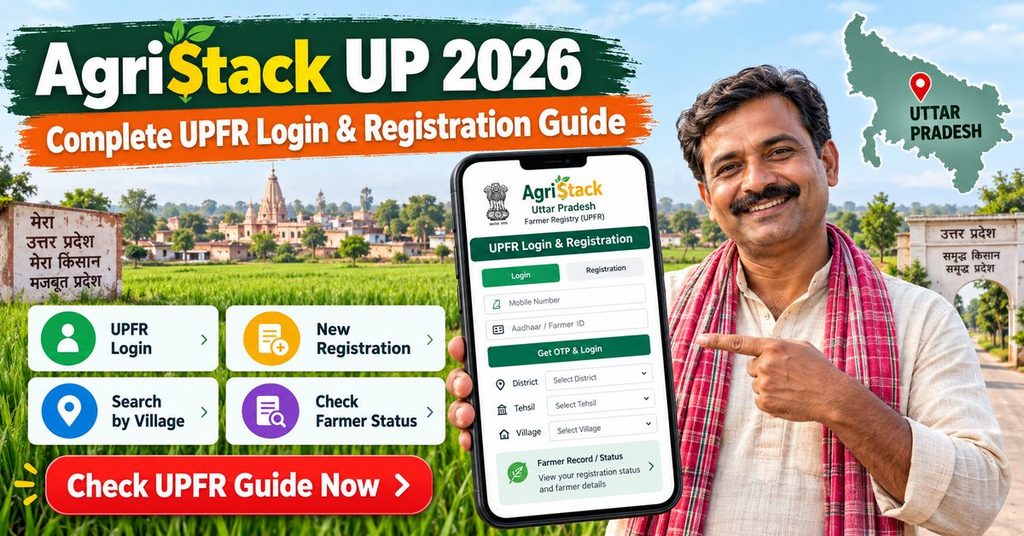
AgriStack UP 2026: Complete UPFR Login & Registration Guide
AgriStack UP is the Uttar Pradesh part of the national farmer registry, and it runs on its own portal at upfr.agristack.gov.in. Once you finish registration there, the state issues you a Farmer ID (Kisan Pehchan Patra), an eleven digit number that ties your Aadhaar, your land record from Bhulekh and your bank account into one verified profile.
Farmers usually call it UPFR AgriStack, and the portal itself labels the service Farmer Registry UP. This page covers the whole thing in order: what to keep ready, how to create your account, how to log in later, how to read your status, how to download the ID card, and what to do when the portal throws an error at you. Written for farmers doing it themselves at home, and for family members doing it on someone else’s behalf.
Last reviewed: August 2026. agristack.com.in/ is an independent information site. We are not the government and we cannot register you. Every action below happens on the official government portal, linked in the buttons.
Official AgriStack UP links
Use these buttons rather than a link forwarded on WhatsApp. Fake farmer registry sites appear every season, and the giveaway is always the same: a genuine portal address ends in .gov.in and nobody on it ever asks you for a fee.
UP Farmer Registry Portal Check Enrollment Status UP Bhulekh Land Record National AgriStack Site PM-Kisan Portal
What AgriStack UP (UPFR) actually is
Until recently a farmer in Uttar Pradesh existed separately in half a dozen databases. The revenue department had the khatauni, PM-Kisan had a beneficiary record, the agriculture department had subsidy applications, and none of them talked to each other. The same farmer proved the same facts again for every scheme, and duplicate entries were hard to spot.
The farmer registry replaces that with one record per farmer. Your Aadhaar confirms who you are, Bhulekh confirms which plots are yours, and the system stores the result against a single Farmer ID. Departments then read that ID instead of asking you for papers.
Why Uttar Pradesh has a separate portal
Land records in India are a state subject. UP maintains its own khatauni data, so the registration form has to talk to UP systems, which is why registration happens on upfr.agristack.gov.in and not on the national site. The national programme sets the rules; the state runs the portal. If you farm in two states you register once in each.
Who should register
- Anyone whose name appears on a khatauni for agricultural land anywhere in UP, including joint holders.
- Anyone already receiving PM-Kisan instalments, since payment verification is being linked to the registry.
- Farmers planning to apply for a Kisan Credit Card, crop insurance or an input subsidy.
- Anyone whose scheme payment has been paused with a message about registry verification.
Tenant farmers and sharecroppers
If you cultivate land that is not recorded in your name, do not register it as your own holding. That mismatch gets flagged at verification and stalls the file. Ask at your block agriculture office how tenants are being handled in your district, because the process is still being standardised.
AgriStack UP documents: what to keep ready
Most failed registrations fail because something was missing at step four, not because the form is hard. Ten minutes of preparation saves a wasted afternoon.
Aadhaar with a working linked mobile
Every verification step sends an OTP to the number registered with Aadhaar, not to whatever number you type into the form. If that SIM is lost, blocked or sitting in a drawer, nothing will move.
How to check whether your mobile is linked
Open the myAadhaar portal and try to log in with your Aadhaar number. If an OTP arrives, the link works. If it does not, book an update at an Aadhaar Seva Kendra or a post office centre. Updating the number usually takes a few days to reflect, so do it before you sit down to register, not during.
No linked mobile at all?
A Common Service Centre can complete your e-KYC using a fingerprint scanner instead of an OTP. That route is covered further down.
Your land details from Bhulekh
The portal pulls your record live from UP Bhulekh. You are not uploading a scanned khatauni, you are selecting your plot from what the revenue database already holds. Have the district, tehsil, village and the gata (plot) numbers written down. Search your khatauni on Bhulekh first and read the name printed on it, letter by letter. The name on the land record has to line up with the name on your Aadhaar. If Bhulekh says “Ram Kumar Singh” and Aadhaar says “Ramkumar Singh”, expect a mismatch flag.
Bank account details
Use an active account seeded with Aadhaar, since that is where scheme money lands. A dormant account or one belonging to a relative causes payment failures later even when registration itself succeeds. Keep the passbook next to you for the IFSC.
A note on cost
Registration is free on the portal. A CSC may charge a small approved service fee for doing it for you. Nobody needs to be paid to “approve” a file, so if someone asks, that is a scam.
AgriStack UP signup guide: creating your farmer account
The first visit has two halves. You create a login, then you fill the registration form. People often stop after the first half and assume they are registered. They are not. Follow all seven steps.
Step 1: Open the official portal
Go to upfr.agristack.gov.in using the green button above. On the home screen you are asked to log in as Farmer or as Official. Choose Farmer. Officials, CSC operators and department staff use the other tab.
Step 2: Choose Create New User Account
Below the login box there is an option to create a new account. New users cannot log in with a mobile number alone, so this step is not optional.
Step 3: Aadhaar e-KYC
Type your twelve digit Aadhaar number, tick the consent declaration and submit. An OTP goes to your Aadhaar linked mobile. Enter it quickly, because the code expires in well under a minute and a resend counts against the day’s limit. After the OTP is accepted, your name, date of birth and address appear on screen, pulled straight from Aadhaar. You cannot edit these fields here, and that is deliberate.
Step 4: Set your mobile number and password
Now the portal asks which mobile number you want attached to the account. It can be a different number from the Aadhaar one, and it is worth entering a phone you actually carry. Verify it with the second OTP, then create a password. Use at least eight characters with one capital, one number and one symbol, something like Anil@1234. Write it somewhere. Password resets on government portals are slower than you expect.
What your login ID will be
On UPFR the username is generally the mobile number you just verified. Save that number and your password together in one place.
Step 5: Sign in and open New Farmer Registration
Go back to the sign in screen, enter your username, password and the captcha, and open the option for a new farmer registration. This is the actual application form.
Step 6: Fill personal, land and social details
Basic details arrive pre filled from Aadhaar. You add:
- Land ownership: pick district, tehsil and village, then fetch your khatauni and select the gata numbers that belong to you. Owners of a share select their share, not the whole plot.
- Residential details: normally auto filled, but check the village spelling.
- Family and category details: the social section, including caste category where asked.
- Bank details: account number and IFSC, entered twice in some versions of the form.
Read the whole page once before saving. Editing after submission is possible but slow, and any change to Aadhaar or land data pushes your file back into the verification queue.
Step 7: e-KYC and e-Sign, then submit
After you save, the screen shows that e-KYC and e-Sign are pending. The application is not counted as submitted until you finish both. e-Sign opens a separate government signature gateway run by CDAC. The page looks nothing like the registry portal, and every year people assume it is a phishing page and close it. It is genuine. Enter your Aadhaar number there, accept the consent, enter the OTP, and let the page redirect back on its own.
When it lands back, you get an Enrollment ID. Photograph that screen. It is what you will use to check status, and it is the first thing any helpdesk will ask for.
Doing this in another state? The steps are close to identical on the Maharashtra farmer registry and the Madhya Pradesh portal, with different land record systems behind them. There is also a general self registration walkthrough that covers the national flow.
AgriStack UP login guide
Once your account exists, everyday use is simple. The login page is the same one you started on.
Farmers search for AgriStack UP login in a dozen different ways, but there is only one screen and one set of credentials.
Farmer login, step by step
- Open upfr.agristack.gov.in and select the Farmer tab.
- Enter your registered mobile number as the username.
- Enter your password, then the captcha shown on screen.
- Click sign in. On some releases an OTP is also sent to your registered number.
What you can do once you are inside
- See your application status without going through the public status page.
- Open your profile and correct details that are still editable.
- Add a plot you missed the first time.
- Download the Farmer ID card once the status turns to approved.
CSC and operator login
Village level entrepreneurs use the Official tab with credentials issued through the CSC network, not the farmer tab. If you are a VLE and the login rejects you, check that your CSC ID is mapped to the UP registry for this financial year. Our CSC login guide goes through operator side problems in more detail.
Forgot your password or login ID
Use the forgot password link on the sign in box. Reset works through an OTP to the mobile attached to the account, so it only helps if you still have that number. Lost the number as well? A CSC can re-verify you biometrically and get the account back. There is more on this in the password recovery guide.
AgriStack UP login and registration errors, and how to fix them
These are the failures that actually generate helpline calls in UP. Work through the one that matches your screen.
OTP not received
Nine times out of ten the mobile in Aadhaar is not the one in your hand. Confirm the link on myAadhaar first. Otherwise look at a DND setting blocking service messages, weak signal, or too many OTP requests in a few minutes, which triggers a temporary block. Wait fifteen minutes rather than pressing resend again.
If the OTP simply never works
Go to a CSC. Biometric e-KYC skips the OTP entirely. Carry your Aadhaar and land papers.
Name match score 0, or name mismatch
The system compares your Aadhaar name with the name printed on the khatauni and scores the similarity. A score of zero means the two records are too different to be treated as the same person. Common causes are a surname on one record and not the other, an initial expanded on one side, a spelling from an older document, or a father’s name entered in place of a middle name.
There are only two real fixes. Either correct the Aadhaar name so it matches the land record, or file for a name correction in the revenue record so it matches Aadhaar. Pick whichever document is wrong rather than whichever is faster. Small differences sometimes clear after manual verification by the lekhpal, so if your score is low but not zero, wait for the verification stage before starting a correction.
Land not found, or the wrong owners appear
The registry reads Bhulekh live. If your gata number returns nothing, first check the number on Bhulekh itself. If Bhulekh has no record either, the problem is in the revenue data and it has to be fixed at the tehsil, not on the registry portal. If the plot appears but lists other names, you are probably looking at a joint holding that has not been partitioned in the record. Select only your share.
e-Sign failed or the page never came back
Closing the CDAC window before it redirects cancels the signature. So does an Aadhaar name that does not match what the gateway expects. Reopen your application from the dashboard, run e-Sign again, and this time leave the browser alone until it returns to the registry on its own. Slow connections can take a minute on that screen.
Server busy, site not opening, or session expired
Traffic on state registry portals spikes near deadlines and around midday. Early morning is noticeably better. Also try a different browser, clear the cache, and avoid opening the portal in two tabs at once, which is what usually produces the session expired message. If the site is genuinely down, it will be down for everyone, so there is nothing to fix at your end.
Invalid credentials or account locked
Repeated wrong passwords lock the account for a short period. Wait, then reset rather than guessing again. Confirm you are on the Farmer tab, since operator credentials do not work there and produce the same unhelpful message.
Aadhaar already registered
Someone has already created a file against your Aadhaar, often a CSC that registered you months ago without telling you clearly. Do not create a second one. Check your status with your Aadhaar number first, and if a file exists, recover access through password reset. Our page on AgriStack errors and outages lists the wider set of portal problems across states.
Checking your AgriStack UP status
An AgriStack UP status check needs no login at all. Use the blue button above, or open the enrollment status option on the home screen.
- Choose whether you are searching by Enrollment ID or Aadhaar number.
- Enter the number and your registered mobile.
- Verify the OTP.
- Read the status shown.
What each status means
- Submitted: received, not yet looked at by anyone.
- Under verification: sitting with the lekhpal or block official for land and identity checks. This is where most files spend their time.
- Pending e-KYC or e-Sign: you have not finished the last step. Log in and complete it, or nothing further happens.
- Approved: your Farmer ID exists and the card can be downloaded.
- Rejected: a reason is shown. Fix that specific point and reapply rather than filing a fresh duplicate.
How long approval takes
Where documents match cleanly, files usually clear in one to three weeks. A name or land mismatch adds however long the correction takes. If nothing has moved in a month, visit the block agriculture office with your Enrollment ID rather than waiting longer. The national status check guide compares how different states display these stages.
AgriStack UP Farmer ID card download
Once the status reads approved, log in, open your profile and use the option to download or print the Farmer ID. The portal generates a PDF. Save it, then keep a printed copy in the folder where you keep your khatauni, because most offices still want paper.
If the download option is greyed out, the file is not approved yet. There is no separate request to raise and no fee to pay. A CSC can print the card for you for a small charge if you have no printer. Step by step screenshots for every state sit on the farmer ID card download guide.
AgriStack UP registration through a CSC
Doing it yourself is free, but there is no prize for struggling. Take your Aadhaar, khatauni details and bank passbook to any Common Service Centre in UP. The operator logs in on the official tab, fills the form with you sitting there, completes e-KYC with your OTP or fingerprint, and submits.
Insist on two things before you leave the counter: ask for the Enrollment ID, and check that the mobile number recorded is yours and not the operator’s. When the number belongs to the shop, every future OTP goes to the shop, and that is how farmers end up locked out of their own registration.
What the Farmer ID is actually used for
The ID is not a scheme in itself. No money arrives because you hold one. It is the key other systems check.
- PM-Kisan: instalment verification is being tied to the registry, so an unregistered farmer risks a hold on payments. Check your beneficiary status on pmkisan.gov.in as well. Details on the linkage are on our PM-Kisan and Farmer ID page.
- Crop insurance and KCC: pre filled applications instead of fresh paperwork every season.
- Input subsidies: seed, fertiliser and equipment schemes run by the state.
- Crop survey: the digital crop survey records what is standing on each plot against the same ID.
AgriStack UP FAQs: what farmers keep asking
Is AgriStack UP registration compulsory?
No law forces you to register, but scheme delivery is being moved onto the registry, so in practice the cost of staying out is a paused or delayed benefit. Treat it as necessary rather than optional.
Is there a last date?
UP has announced and then extended cut off dates more than once. Check the notice on the portal home page rather than a date on any blog, this one included, and finish early so an extension is a bonus rather than a rescue.
Can I register without land in my name?
Not as an owner. Ask your block office about the tenant process before entering someone else’s gata number in your file.
I have plots in two districts. Two registrations?
One registration. Add both sets of plots inside the same application.
Can I change my mobile number later?
Yes, through your profile after logging in, with OTP verification. If you have lost access entirely, a CSC can help. See our guide on changing the mobile number linked to AgriStack.
AgriStack UP helpline and support
For registration questions the Kisan Call Centre on 1800-180-1551 is the national line, and it operates in Hindi. State specific helpdesk numbers are printed in the footer of the UPFR portal, and they change, so read them there rather than copying a number from a forwarded message. For anything about land records, the tehsil office is the right place, since the registry can only display what Bhulekh holds.
For a written grievance, use the grievance option on the portal and quote your Enrollment ID. Numbers for other states sit on our AgriStack helpline directory.
About this guide
agristack.com.in/ is an independent guide to India’s farmer registry. We publish process explainers only. We do not collect Aadhaar numbers, we do not take registration fees, and we do not act as an agent. The steps above were checked against the UP portal flow and against the national AgriStack programme documentation in August 2026. Portals change without notice, so if a screen looks different from what is written here, trust the portal and tell us so we can correct the page.
Related reading: farmer registry registration guide, AgriStack login, documents checklist, adding land details, what the Farmer ID is.