
AgriStack Maharashtra 2026: Complete MHFR Registry Guide
AgriStack Maharashtra runs on the state farmer registry portal at mhfr.agristack.gov.in, listed on screen in Marathi as शेतकरी नोंदणी. Complete it once and you get a Farmer ID that links your Aadhaar, your 7/12 utara and your bank account into a single verified record the state can check before releasing money.
Most farmers know it as MHFR AgriStack. Below is the full process in the order you will meet it: documents, account creation, login, status, ID card download, and the errors that stop most people. Maharashtra has its own quirks, particularly around the 7/12 and MahaDBT, so this is not a generic national guide.
Last reviewed: August 2026. agristack.com.in/ is an independent information site, not a government body. We cannot register you or approve anything. Every step happens on the official portal linked below.
Official AgriStack Maharashtra links
Open the portal from these buttons instead of a forwarded link. Real registry portals always sit on a .gov.in address and never charge a registration fee.
MHFR Farmer Registry Portal Check Enrollment Status 7/12 Utara (Mahabhumi) MahaDBT Farmer Login National AgriStack Site
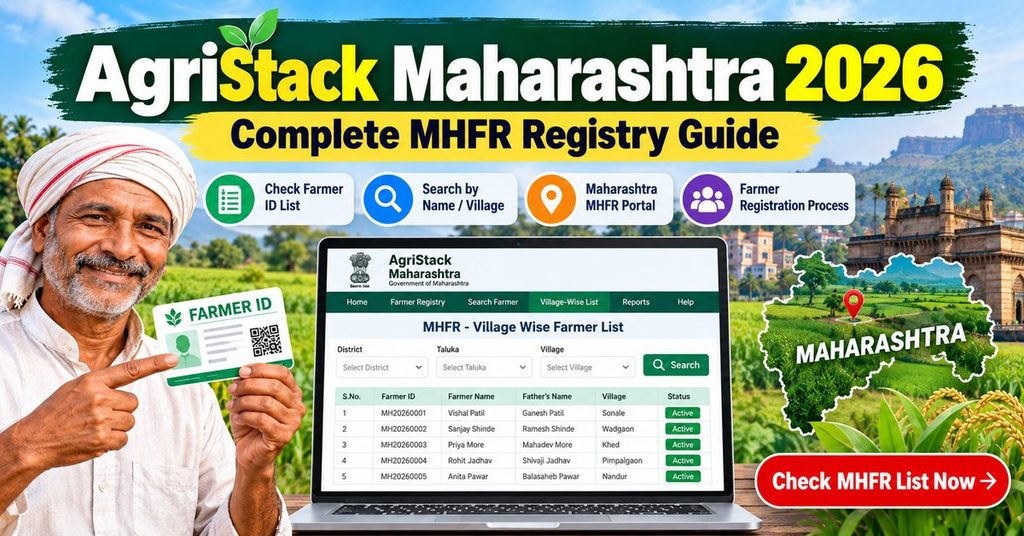
What MHFR is, in plain terms
Maharashtra already knew a great deal about its farmers, but the information sat in unconnected places. The talathi held the 7/12. MahaDBT held subsidy applications. PM-Kisan held its own beneficiary list. A farmer proved the same facts to each of them separately, and the state could not easily tell whether two records belonged to one person.
The farmer registry collapses that into one profile. Aadhaar establishes identity, the land record establishes what you cultivate, and the Farmer ID becomes the reference number every department reads afterwards.
Why Maharashtra has its own portal
Land records are managed by the state, so the registration form has to query Maharashtra’s own land database. That is the whole reason the address is mhfr.agristack.gov.in rather than the national site. The national programme writes the rules and Maharashtra runs the portal. Farmers with land in a neighbouring state register separately there, for example on the Madhya Pradesh registry.
Who needs to complete it
- Any khatedar whose name appears on a 7/12 for agricultural land in Maharashtra.
- Farmers receiving PM-Kisan, since instalment verification is being moved onto the registry.
- Anyone who plans to apply on MahaDBT for tractor, drip irrigation, seed or insurance benefits.
- Joint holders, each separately, for their own share.
AgriStack Maharashtra documents to keep ready
Registration itself takes ten to fifteen minutes. Gathering the papers is what takes the afternoon, so do that first.
7/12 utara and 8A extract
Download your 7/12 from Mahabhumi and, where you hold several plots under one account, the 8A extract as well. You are not uploading these documents. The portal fetches your record directly. What matters is that you can read the survey or gat number and the name exactly as the revenue record prints it.
The name on the 7/12 is the thing to check
Compare it with your Aadhaar letter by letter, including the middle name. Maharashtra records commonly carry the father’s name in the middle position, and Aadhaar sometimes does not. That single difference is the most frequent reason a Maharashtra application sits unapproved.
Aadhaar with an active linked mobile
Every OTP goes to the number linked with Aadhaar, not to the number you type in the form. Test it by trying to log in at myAadhaar. If no OTP arrives, get the number updated at an Aadhaar centre before you start, because the update takes a few days to reflect.
An Aadhaar seeded bank account
Use a live account in your own name. Dormant accounts and accounts belonging to a son or spouse are a common cause of failed DBT credits later, even when the registration itself was approved without comment.
Joint holdings and family land
Land held jointly by brothers, or still recorded in a late father’s name, is where Maharashtra registrations get complicated. Each khatedar registers separately for their own share. If the 7/12 still carries a deceased owner’s name, the varas nond (mutation entry) has to be completed with the talathi before the registry can attach the plot to a living person. That takes time, so start it the same week you start the registration rather than waiting for a rejection to prompt you.
Crop details for the current season
Keep in mind what is standing on each plot for kharif and rabi. Some screens ask, and the digital crop survey later records the same information plot by plot.
AgriStack Maharashtra signup guide: creating your MHFR account
The portal separates account creation from the application. Finishing the first part does not register you, which surprises a lot of people when they check status weeks later and find nothing.
Step 1: Open MHFR and choose the farmer option
Go to mhfr.agristack.gov.in using the green button. The home screen offers a login as Farmer or as Official. Pick Farmer. The other tab belongs to talathis, agriculture assistants and CSC operators.
Step 2: Create New User Account
Under the login box, choose to create a new user account. A first time visitor cannot sign in with a mobile number alone.
Step 3: Aadhaar verification
Enter your twelve digit Aadhaar number, tick the consent box and submit. An OTP reaches your Aadhaar linked mobile. Type it in quickly, since it expires in under a minute. Your name, date of birth and address then load from Aadhaar and cannot be edited on this screen.
Step 4: Link a mobile number and set a password
Next you choose which mobile number the account should use. It can differ from the Aadhaar number. Verify it with a second OTP, then set a password of at least eight characters with a capital letter, a digit and a symbol. Note the number and password down together. On MHFR the mobile number generally doubles as the username.
Step 5: Sign in and start नवीन शेतकरी नोंदणी
Return to the sign in screen, enter the username, password and captcha, then open new farmer registration. This is the actual form.
Step 6: Fill land, personal and bank details
Personal fields arrive pre filled from Aadhaar. You supply the rest:
- Land: choose district, taluka and village, fetch your record, then select the survey or gat numbers that are yours. Select your share on jointly held plots rather than the whole holding.
- Category and family details: the social section of the form.
- Bank: account number and IFSC, taken from the passbook rather than memory.
Read the page once before saving, because edits after submission can push the file back into verification.
Step 7: Complete e-KYC and e-Sign
After saving, the portal shows e-KYC and e-Sign as pending. Until both are done, your application is not in the queue at all. e-Sign hands you over to a separate central government signature gateway that looks completely different from the registry. It is genuine. Enter Aadhaar, accept the consent, enter the OTP, and wait for the automatic redirect back.
You then receive an Enrollment ID. Screenshot it. Every status check and every helpdesk conversation starts with that number. The general farmer registry guide explains what happens behind the scenes after submission.
AgriStack Maharashtra login guide
AgriStack Maharashtra login uses one screen and one set of credentials, whatever route you arrived by.
Farmer login
- Open mhfr.agristack.gov.in and select the Farmer tab.
- Enter your registered mobile number as the username.
- Enter the password and the captcha.
- Sign in. Depending on the release you may also confirm an OTP.
What the dashboard gives you
- Your current application status without using the public status page.
- Profile fields that are still open for correction.
- The option to add a plot you left out earlier.
- Farmer ID download, once the file is approved.
CSC and official login
Operators log in on the Official tab with credentials issued through the CSC network. A VLE seeing a rejection there should check that the CSC ID is mapped to Maharashtra for the current year. More on that in the CSC and operator login guide.
Forgot password
Reset runs through an OTP to the mobile attached to the account, so it works only while you hold that SIM. If the number is gone, a CSC can restore access with biometric verification. Steps are on the password recovery page.
MHFR login and registration errors, and what fixes them
OTP not arriving
Usually the Aadhaar linked number is not the phone in your hand. Confirm on myAadhaar first. Otherwise look at DND blocking, weak signal, or too many requests in a short window, which triggers a temporary block. Wait fifteen minutes rather than hammering the resend button. If OTPs never work for you, a CSC can complete e-KYC with a fingerprint scanner instead.
Name mismatch between Aadhaar and the 7/12
This is the classic Maharashtra problem. The system scores how closely the two names match, and a low score sends the file to manual checking or holds it entirely. Middle names are the usual culprit, followed by spelling variations carried over from an old record.
Which document should you correct?
Correct whichever one is actually wrong. If Aadhaar carries the shortened name you never use, update Aadhaar. If the 7/12 has an old spelling, file for a correction with the talathi. Do not create a second registration in the hope that it goes through cleanly.
Land record not fetching
Check the survey or gat number on Mahabhumi first. If Mahabhumi shows nothing, the gap is in the revenue record and only the talathi office can fix it. If the plot loads but shows several names, that is a joint holding, and you select only your share.
e-Sign failure
Closing the signature window before it redirects cancels the whole thing. So does a name the gateway cannot reconcile with Aadhaar. Reopen the application from your dashboard, run e-Sign again, and leave the browser alone until it returns by itself.
Portal slow, server busy, session expired
Load peaks around deadlines and in the middle of the day. Early morning is easier. Clear the browser cache, use a different browser, and keep the portal open in one tab only, since two tabs is what usually produces the session expired message.
MahaDBT says a Farmer ID is required
That message appears when you try to apply for a state subsidy before your registry file is approved. There is no way around it from the MahaDBT side. Finish MHFR, wait for approval, then go back to MahaDBT. Our page on linking AgriStack with MahaDBT covers the sequence in detail.
Aadhaar already registered
Often this means a CSC registered you months ago. Check status by Aadhaar number before doing anything else, and recover the account through password reset rather than starting again. Other portal wide problems are collected on our AgriStack error fixes page.
Checking your AgriStack Maharashtra status
An AgriStack Maharashtra status check needs no login. Use the red button above or the enrollment status option on the home screen.
- Choose Enrollment ID or Aadhaar number.
- Enter the number, then your registered mobile.
- Verify the OTP and read the result.
Reading the status labels
- Submitted: received, nobody has opened it yet.
- Under verification: with the talathi or agriculture assistant for land and identity checks.
- Pending e-KYC or e-Sign: your last step is incomplete, so the file is not moving. Log in and finish it.
- Approved: the Farmer ID is live and the card is downloadable.
- Rejected: a reason is displayed. Correct that point and resubmit.
Realistic timelines
Clean files in Maharashtra generally clear inside two to three weeks. Anything with a name or land discrepancy takes as long as the correction takes, which can run to a month or more. If a file has not moved in four weeks, take the Enrollment ID to the taluka agriculture office. The national status check guide shows how the same stages appear in other states.
AgriStack farmer ID Maharashtra card download
Your AgriStack farmer ID Maharashtra card is generated by the portal itself. After approval, log in, open your profile and use the download or print option. The portal produces a PDF. Save it and print one copy for the file where you keep your 7/12, because offices still ask for paper.
A greyed out download button almost always means the status is still under verification, not that something is broken. There is nothing to request and no fee. A CSC will print the card for a small charge. Full instructions for every state sit on the Farmer ID card download guide.
AgriStack Maharashtra registration through a CSC
If the online form is not for you, carry your Aadhaar, 7/12 and bank passbook to a Common Service Centre. The operator fills the form while you sit there, completes e-KYC with your OTP or fingerprint, and submits.
Before leaving the counter, ask for the Enrollment ID and confirm that the mobile number in the record is yours. When the operator enters the shop number, every future OTP goes to the shop, and getting the account back afterwards is far harder than getting it right the first time.
Editing your details after submission
Mistakes happen, and most of them are repairable. Log in, open your profile, and see which fields still accept changes. Bank details and contact numbers are usually open. Anything touching Aadhaar or land data behaves differently: the change is accepted, then the file returns to under verification for a short while so an official can look at it again. That is normal and it does not mean your registration was cancelled.
Two changes are worth making early rather than late. Add any plot you forgot, because a plot missing from the registry is a plot missing from every scheme that reads it. And correct the mobile number if a CSC entered its own, following our guide to changing the linked mobile number. Broader rules on what can be edited are on the update information page.
What the Maharashtra Farmer ID unlocks
- PM-Kisan: instalment verification is being tied to the registry. See PM-Kisan and the Farmer ID.
- MahaDBT schemes: tractor, drip, sprinkler, seed and equipment applications ask for the ID.
- Crop insurance and KCC: pre filled applications instead of fresh paperwork.
- Digital crop survey: season by season crop data recorded against your plots.
AgriStack Maharashtra FAQs
Is MHFR registration free?
Yes. Registration on the portal costs nothing. A CSC may charge a small approved service fee for assistance and printing. Nobody can charge you to approve a file.
Is registration compulsory?
No statute forces it, but scheme delivery is being routed through the registry, so staying out increasingly means delayed payments. Treat it as necessary.
What is the last date?
Maharashtra has extended its deadlines more than once. Check the notice on the portal home page rather than any date printed on a blog, this one included, and finish early so an extension is a bonus rather than a rescue.
Can tenant farmers register?
Not against land recorded in someone else’s name. Ask at the taluka agriculture office how tenants are being handled in your area before entering another person’s survey number.
Do I need to register again for each plot?
No. One registration, and all your plots go inside it. Add missing plots through your profile after logging in, as described in our guide to adding land details.
Can I use the mobile app instead?
Yes, and it helps where the internet is patchy. The website usually receives fixes first, so if the app shows an outdated screen or an error, switch to the browser. Both use the same Aadhaar e-KYC and land matching behind the scenes, so there is no reason to register twice.
AgriStack Maharashtra helpline and grievances
The Kisan Call Centre on 1800-180-1551 answers registration questions nationally, in Marathi as well. State helpdesk numbers appear in the footer of the MHFR portal and change from time to time, so read them there rather than trusting a forwarded number. Land record problems belong with the talathi, not the registry helpdesk, because the portal can only display what the revenue database holds.
To file a written complaint, use the grievance option on the portal and quote your Enrollment ID. Other state numbers are listed on our AgriStack helpline directory.
About this guide
agristack.com.in/ is an independent guide to India’s farmer registry. We publish explainers only. We never collect Aadhaar numbers, never charge for registration and are not agents for any department. The process above was checked against the Maharashtra portal flow in August 2026. Screens change without notice, so trust the portal first and write to us if something here is out of date.
Related reading: AgriStack UP, AgriStack login, documents checklist, what the Farmer ID is, digital crop survey.